Product · September 26, 2026
Treat coverage like a progress report and not a final grade
An introduction to what Premiere.Studio's coverage feature is for, and how to read the progress report on a draft without turning it into a final grade.
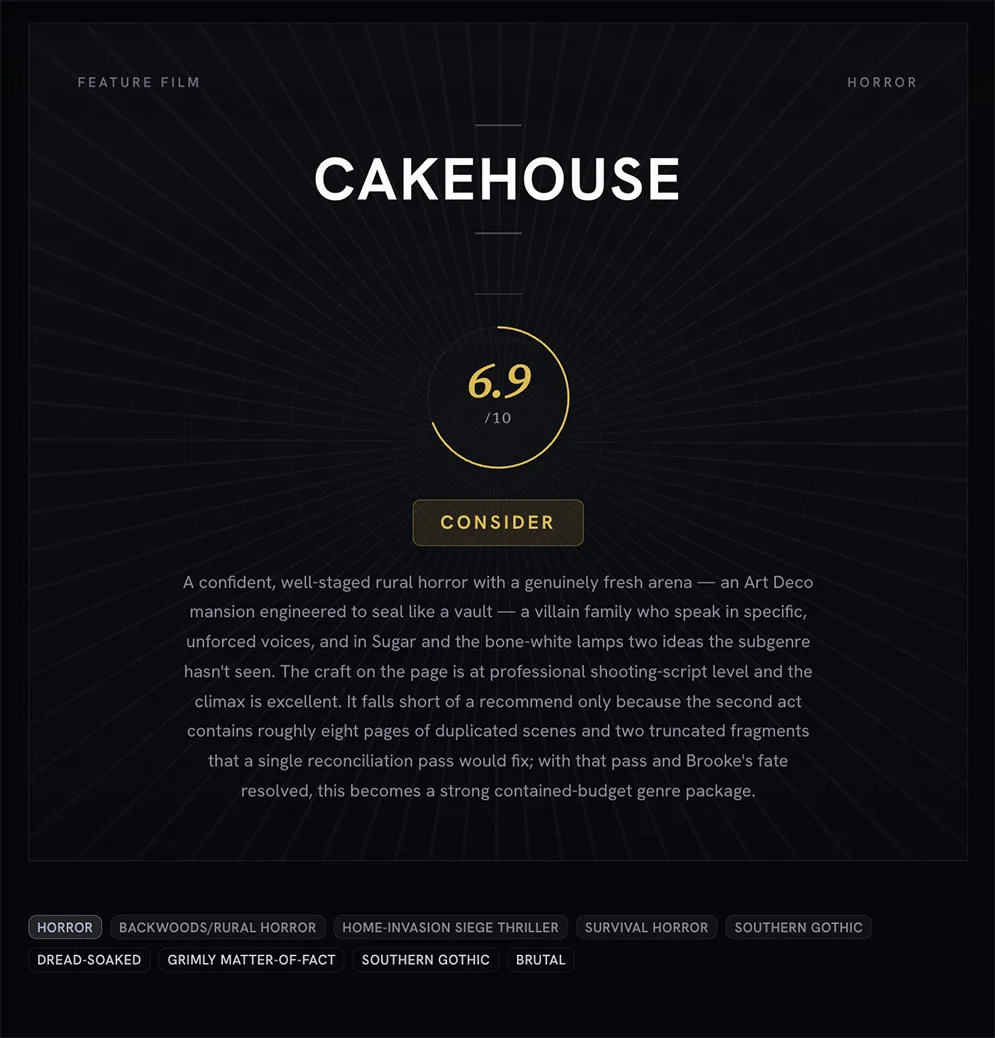
Coverage generation has been in Premiere.Studio for a while now, and I use it on my own scripts. I've also caught myself reading it the wrong way. I'll open a report and look for the grade, when what I should be doing is treating it like a progress report: a snapshot of where the draft is right now, while there's still time to change it before anyone else reads it.
What coverage is for
In the industry, coverage is written by a reader at a production company or agency. They get a stack of scripts, work through them, and write up what happens and whether the company should bother pursuing it. You'll probably never meet that reader, and you'll probably never see their notes.
That's why the format always ends with a judgment. Someone higher up wants a quick yes or no, and everything else in the report (the summary, the character notes, the structure paragraph) is there to back up that call for an executive who has about a minute to spare.
When you run coverage on your own draft, the situation flips. You already know the plot, so you don't need a summary to learn it. What you can't easily get anywhere else is a sense of how the pages come across to someone who isn't you.
Why it exists in Premiere.Studio
When I hit generate at eleven at night on a draft I've been buried in for weeks (sometimes months), I'll be honest about what I want. I want to hear it's good. If it isn't, I want to hear exactly what's wrong so I know what to fix.
Real coverage doesn't give you either of those. One reader's reaction isn't a measurement. Give the same pages to three readers and you'll get three reports that overlap in places and go their own way in others, and the overlap is the part worth trusting. A single report is a single reading.
Where this goes wrong is what the writer does afterward. Get a glowing report and it's tempting to stop revising because the script feels approved. Get a harsh one and you might stop for the opposite reason. Either way, you've taken one person's reading as the final word.
Read for pattern, not score
So I read the report backwards. I skip whatever sits at the end that looks like a grade, and I go to the places where the report describes what it understood.
I've come to think the summary is the most useful section, even though most people skim it. If the summary gets your plot slightly wrong, that's usually a problem in the script rather than a careless read. Somewhere the cause-and-effect is thin enough that the reader followed the wrong thread, and it's worth tracking down which page that happened on.
Character notes work the same way. If the report describes your lead's goal differently than you intended, you've learned something real about the gap between what's on the page and what's in your head. I write down those mismatches and mostly ignore the opinions.
After that, I look for things that come up more than once. A single comment about the second act could be anything. If the same concern shows up in the summary, the character notes, and the structure section, that's a pattern, and that's where I'll spend a rewrite.
The question I'm really asking isn't whether the script is good. It's whether the report understood the story the way I meant it, and whether it followed the path I laid down.
When to run it, when to wait
You need a complete draft, start to finish. It doesn't have to be a good one.
Run it on half a script and you'll be told the second half is thin, which you knew. The first complete draft is where it earns its keep, because by then you've usually lost the ability to see the whole thing clearly.
I typically run it twice per script: once after the first full draft to see what's landing, and again after the revision to check whether I actually fixed those issues or just shuffled them somewhere else.
Here are some pointers:
- Run it when the draft has an ending, even one that you're not quite sure is right yet.
- Wait if you already know what is broken and are on your way to fix it.
- Wait if you are running it hoping for reassurance. You will not get it, or you will get it and it will not help.
- Run it before you send the script out, so the first reading that surprises you is not one that counts.
Where this sits in the Studio
You run coverage on a draft inside your project, and the report shows up right there alongside it.
Like the other AI features, it costs credits, which nudges you to be deliberate about when you use it. Honestly, that's been good for me. It keeps me from generating a new report every time I tweak a line. You're free to use it however works for you, of course.
What it won't do is make decisions for you. It reads your pages and tells you what it found.
I'm bringing this up now because the next couple of months get noisy. The Black List lands in December, shortlists follow, and year-end lists will be telling everyone what was good. That's all judgment about other people's scripts, and none of it has anything to do with yours.
If you're deep in a draft this fall, or racing to finish something for a January deadline, the most useful thing you can do isn't very exciting. Finish the draft. Then read the report looking for the spots where it misunderstood you, and go fix those pages.
That's what coverage is for. It shows you how your script reads today, and what you do with that is up to you.
You are the reason this tool exists in the first place and I'm grateful that you're here checking it out. If you have any questions about, or suggestions for, this feature or another then feel free to email me at Support@Premiere.Studio. I'd love to hear your feedback.
— Justin
More from the Newsroom
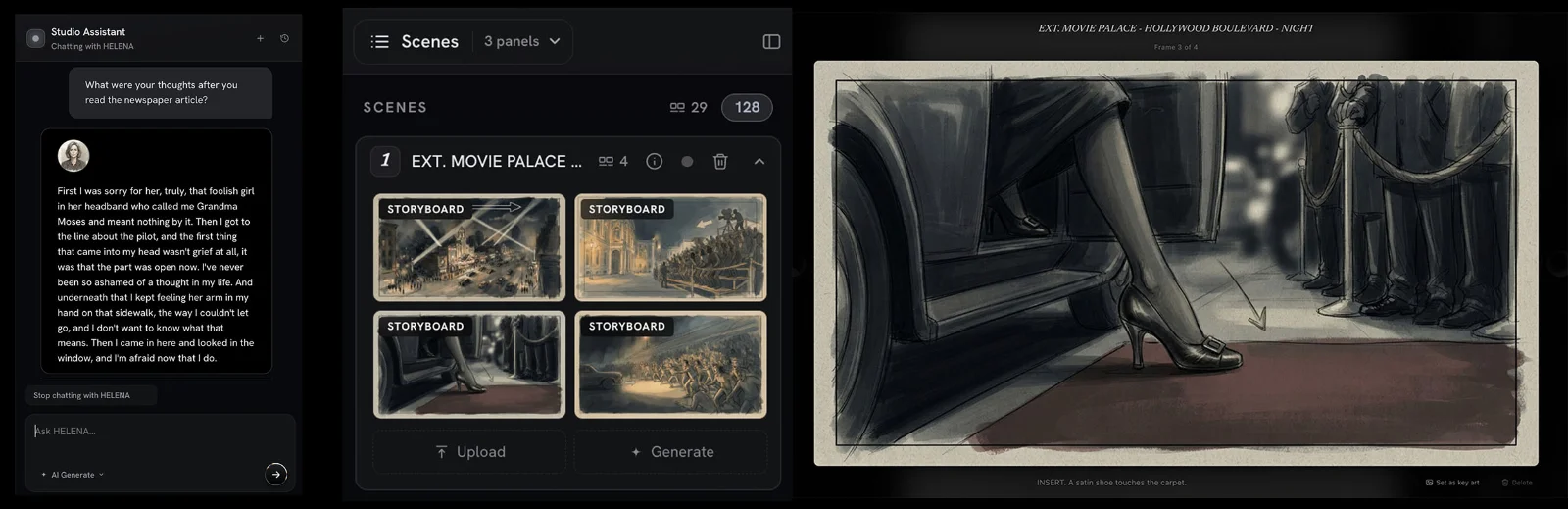
New in the Studio: Interactive Character Chat and Storyboard Generation
Two new features went live in Premiere.Studio this month. Interactive Character Chat lets you talk with any character in your script to peak into what they are thinking, and Storyboard Generation drafts frames and shot options from your scenes. Here's how to use them.
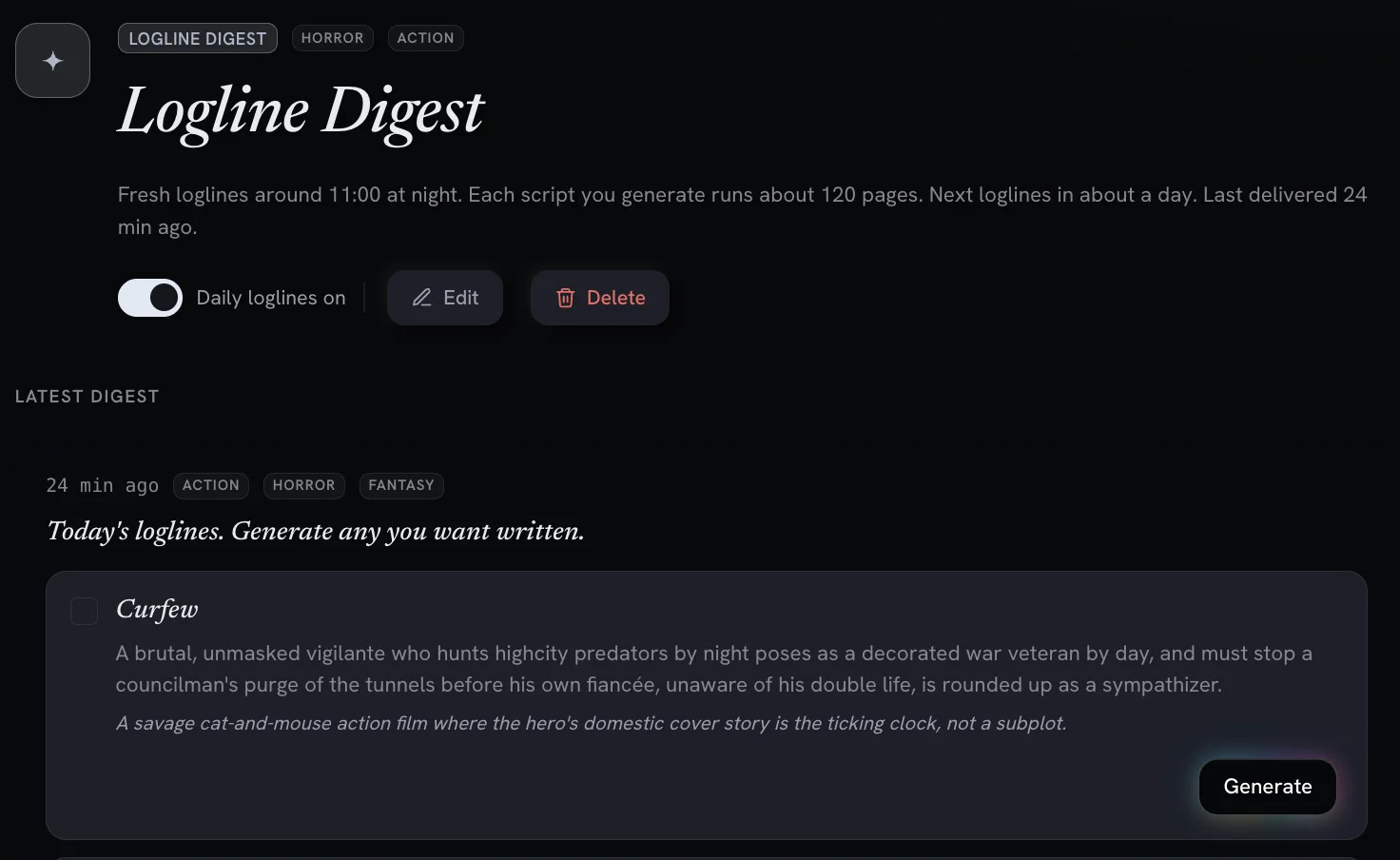
Digests and Workflows: AI Powered Screenwriting Automation Tools
Recurring, automated workflows deliver daily logline previews and digests you can turn into full feature scripts with one click.

What actually changes when you turn scattered notes into an outline
Most of us keep a script in five places at once. Here is how I move a pile of notes onto the Premiere.Studio outline board, and when I leave the pile alone.