Infinite Creativity
The AI screenwriting app for film and television.
Write to industry format, collaborate live, and bring in AI only when you ask.

Premium tools for your craft
Write to format
Industry-correct screenplay formatting with Tab and Enter element cycling. Sluglines, action, character, dialogue, parentheticals, transitions. You never touch a menu. The page is always to spec.
Intelligence, only if you ask
An AI partner waits in the wings: a quick rewrite, a sharper line, a way out of a corner. Hand it a half-formed story and it fills the gaps in the narrative, generating the missing beats in one click. Want none of it? Hide it once and it's gone for good. Nothing you write is ever used to train a model. Your pages are yours, from first keystroke to final draft.
Collaborate live
A real-time writing room with presence, inline comments and full version history. Co-write a scene, hand off a draft, settle a note. Together, in the moment.
Own your files
Native Final Draft .fdx and Fountain, plus watermark-free PDF for the table read. Your work exports clean and complete, in the formats the industry already runs on. Zero lock-in, ever.
Find the plan that's right for you
- 2 projects
- Collaboration tool access
- 5 projects
- Everything in Free
- 1,500 AI credits / mo
- 3 AI Outline Orchestrator runs / mo
- 10 projects
- Everything in Studio
- 3,450 AI credits / mo
- 15 AI Outline Orchestrator runs / mo
- Unlimited projects
- Everything in Pro
- 8,850 AI credits / mo
- 50 AI Outline Orchestrator runs / mo
- Priority support
Prices are per writer, monthly, and you can cancel any time. Monthly credits reset at the start of each calendar month. Not enough credits? Additional top up credit packs can be purchased.
The latest from the studio
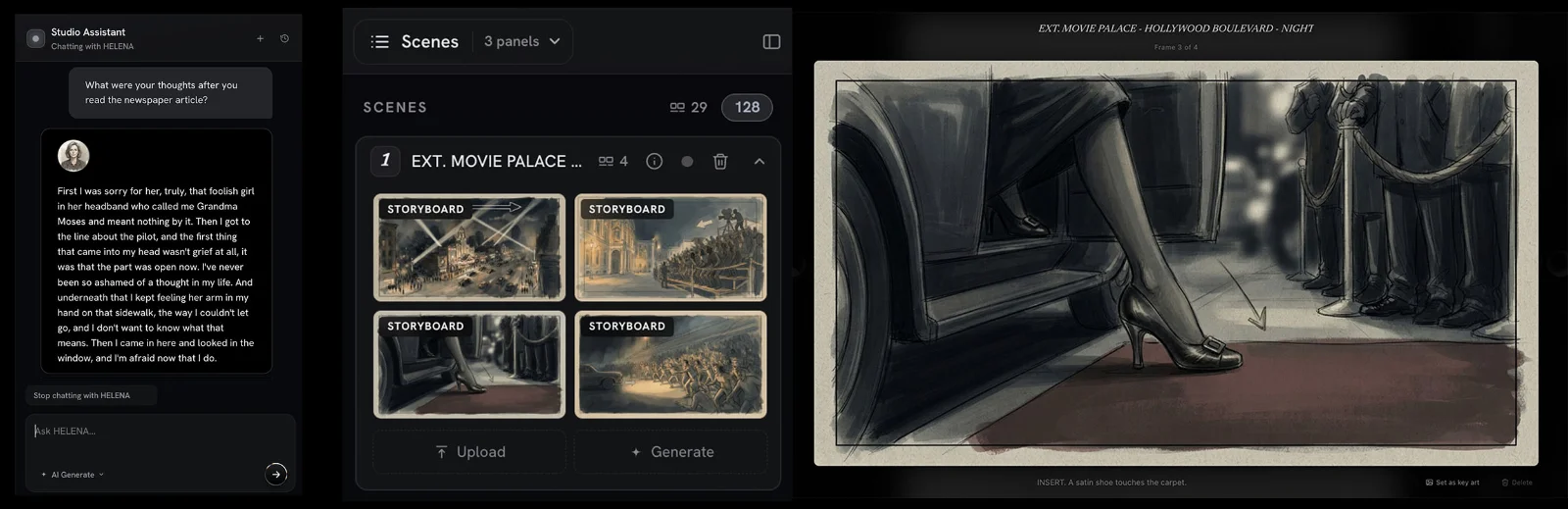
New in the Studio: Interactive Character Chat and Storyboard Generation
Two new features went live in Premiere.Studio this month. Interactive Character Chat lets you talk with any character in your script to peak into what they are thinking, and Storyboard Generation drafts frames and shot options from your scenes. Here's how to use them.
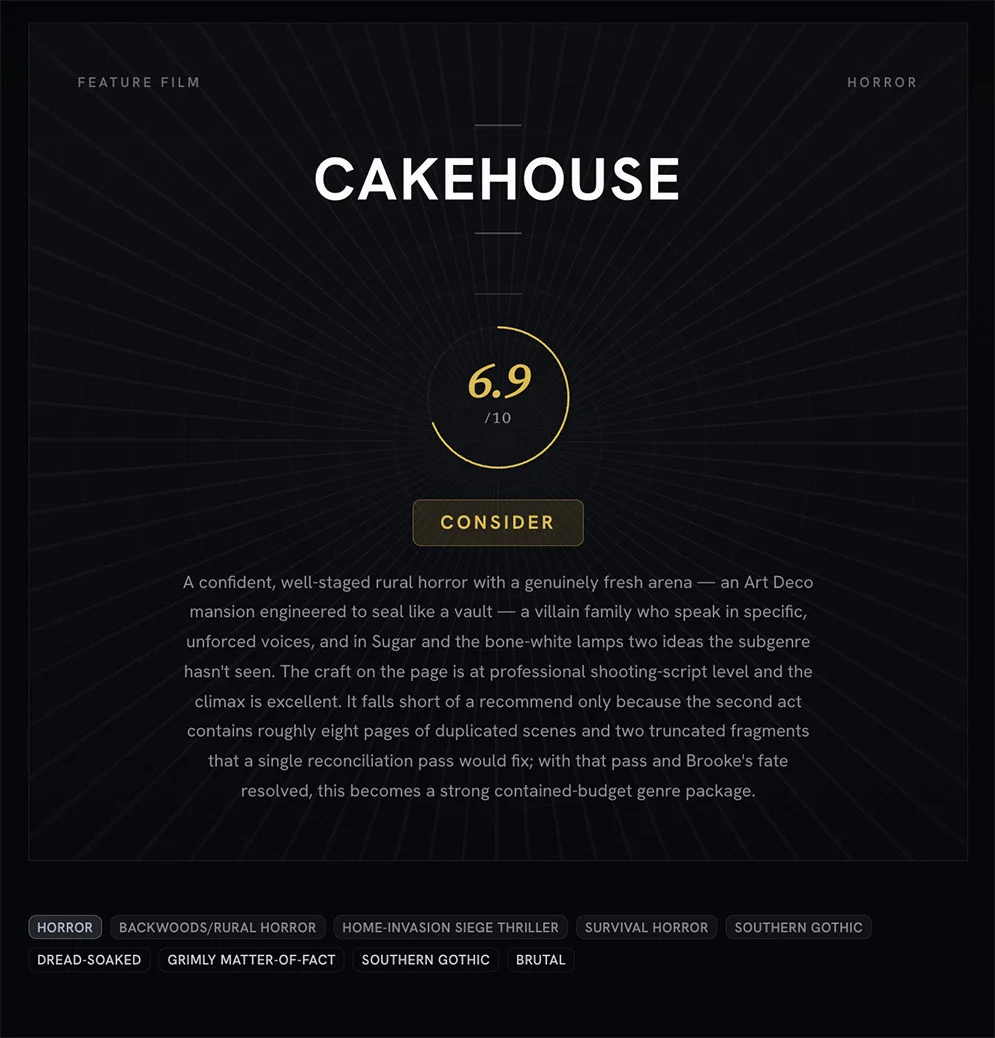
Treat coverage like a progress report and not a final grade
An introduction to what Premiere.Studio's coverage feature is for, and how to read the progress report on a draft without turning it into a final grade.
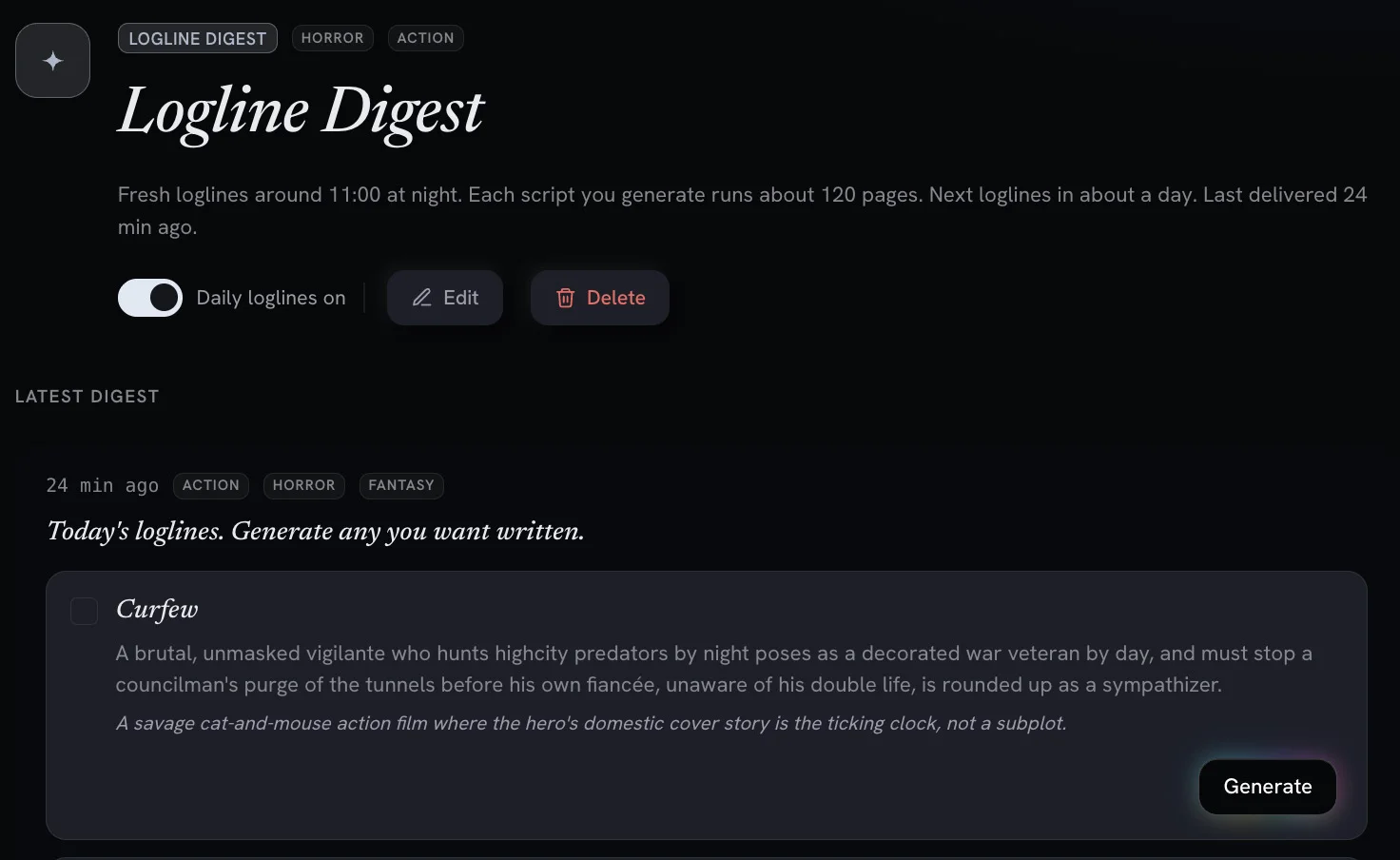
Digests and Workflows: AI Powered Screenwriting Automation Tools
Recurring, automated workflows deliver daily logline previews and digests you can turn into full feature scripts with one click.
See how it works
Short walkthroughs. Pick one from the list and the reel plays here.
Questions, answered
Here are some of our most frequently asked questions. If you have a question that isn't answered here then email us at Support@Premiere.Studio.
Premiere.Studio is an intelligent screenwriting platform built for limitless creativity. Unleash your imagination with advanced AI-powered toolsets designed to elevate your storytelling by removing the friction of writing conventions, leaving you free to focus entirely on the story. Write live with your co-writers, run coverage on a draft, and export to Final Draft, Fountain or PDF whenever you like, or team up with the Studio Assistant as your dedicated writing partner.
No. Tab and Enter move you between sluglines, action, character, dialogue, parentheticals and transitions, so the page is always to spec without touching a menu. If you already write to format, nothing changes and your habits carry straight over. If you have questions about screenplay formatting or structure, make sure to check out the Premiere.Studio Film School documents to learn at your own pace.
What you ask, and nothing you don't. With Premiere.Studio's AI capabilities you can ask the AI functionality to write something as short as dialogue or as expansive as an entire feature film screenplay with a single click. Write a scene or a script element, sharpen a scene, or describe a scene and have it written. Hand it a plot summary and it drafts the beats you're missing; ask it a question about your script and it answers from your pages. Rewrites arrive as tracked changes you accept or reject, and anything it adds can be undone in one click.
Don't want AI features? That's OK! Turn them off in the settings and never see them again.
A workflow is a recurring job that pitches you stories on a schedule you set. Pick your genres, or every genre for a surprise; each run blends up to three. Add Story Element tags such as a setting, an era or a twist, and set how often it runs, from daily to monthly. Each delivery is a Logline Digest: a short list of premises waiting for you. Pick the one you like, press Generate, and a full script is written from it. Prefer pages to pitches? Skip the digest and have the first draft land as a new project.
Switch a workflow off and on whenever you like: pause it for a holiday, pick it back up when you return. How many you can keep depends on your plan, and any that run together never bleed into each other. They are on every plan and spend AI credits like most of the Studio's AI features.
No. Nothing you write is ever used to train a model, and you own everything you write and everything the AI writes for you. Your scripts are private to you and the people you choose to share them with.
Yes. Bring in Final Draft (.fdx), Fountain or PDF scripts, and export .fdx, Fountain or a watermark-free PDF at any time. There is no lock-in: your work leaves in the formats the industry already runs on. We never want to make it difficult to try something new. We respect that decision, but if there's ever a feature that you feel is needed or maybe an existing feature isn't cutting it then we'd love to hear from you. Email us at Support@Premiere.Studio.
Yes. The Free plan gives you the editor, full formatting, two projects and live collaboration, with no card on file. The paid plans add monthly AI credits, more projects and the Outline Orchestrator, and you can change or cancel at any time. See Pricing above for what each plan includes.
Start your first page.
Make an account and open a blank page. Industry formatting from the first line, and everything you write stays yours.
Have a question first?
A few quick questions. Someone at the studio reads every message and replies by email.
Prefer email? support@premiere.studio