Press · September 4, 2026
Introducing Premiere.Studio
Premiere.Studio is an intelligent screenwriting platform built for limitless creativity. Unleash your imagination with advanced AI-powered toolsets designed to elevate your storytelling by removing the friction of writing conventions, leaving you free to focus entirely on the story.

I built Premiere.Studio because I wanted somewhere to write that felt like it directed me into a mindspace of creativity instead of constantly being reminded of strict conventions and rules. I've spent a lot of hours in screenwriting software. The good ones are good at pages and quiet about everything else, and I wanted that. But I also wanted the things I do around a script, the outline, the notes, the back and forth with whoever I'm writing with, to live in the same place as the pages instead of scattered across other apps and an email thread. So this is a room where the page is the whole point and everything else stays out of the way until you reach for it.
If you're reading this you've either made an account or you're about to, and I'm glad. Thank you. I'd rather you spent the afternoon writing than reading about a writing app, so I'll keep this short and just walk you through what's here.
Where scripts start
Most scripts don't start as scripts. They start as a treatment, or a page of notes, or a first act written in one sitting that you then can't face for a week. Bring that. Drop in a Word document, an RTF or a plain text file and the studio reads it and lays out an outline you can push around: beats, acts, the shape of the thing before it has any scenes.
You can also utilize the built-in ScratchPad note-taking surface where you can pour your creativity into a note. You can even briefly describe the characters, the direction of the plot, and certain events that must happen, then you can import and convert it to a structured outline using our node graph. Once imported, Premiere.Studio will determine which nodes you need, and it will wire them up in order of your notes or document. This feature encourages you to be creative without being shackled by conventions.
Each beat is a card on a board. Drag them into a different order, wire one into another, and the outline changes underneath you without anyone retyping a word. I outline in beats before I write a page, and I wanted the outline and the draft to be one continuous piece of work instead of two documents that drift apart.
If you'd rather start from a sentence, start from a sentence. Give it a logline and it will propose a first outline for you to argue with. And when you have an outline but you're not sure it holds, ask it to analyse the outline. It reads the whole board the way a story editor would and comes back with notes and a set of proposed changes, each one something you can take or leave.
If you already have a screenplay then go ahead and import it. Fountain, Final Draft and PDF all import in formatted and ready to edit.
From outline to the first pages of your draft
Here's the part I'm most excited about. From the outline you work at whatever grain the moment needs, and each of those is one click.
Stuck on a single element, a scene heading, a line of action, a speech that won't land? Ask the Studio Assistant for that one thing and get a few alternatives. Know what a scene has to do but not how? Click Generate scene on its card and it writes the scene, in your format, inside the world of your story, following the beats on either side of it. Have an act that's outlined but nothing has been written in the script yet? Generate the act. And when the outline is right and you want to see the whole thing standing up out of the gate, then click Generate Full Script and it writes the entire screenplay from your outline using our proprietary method developed through countless runs with thoughtful curation notes.
What comes back follows your outline and it's a first draft, which means it's there to be pushed, pulled and worked with. It exists so you can get to the rewrite sooner, and for most of us the rewrite is where the real writing happens anyway.
I want to be plain about why this is here. It isn't so the machine writes your script. It's so you don't have to hold the rules of the form in your head while you're trying to form the story that is unique to you. Scene headings, the shape of an action line, where a parenthetical goes, how a page is supposed to break: those are conventions, and conventions are the app's job. Yours is the part no convention covers. The thing a character says that you didn't see coming or the scene that's about something other than what it's about. That's the human part, and it's the only part that was ever going to make the script good. Everything in this section exists to give you more of your afternoon for it.

The assistant in the room
The Studio Assistant is a panel that sits beside the page, and it has read your script.
The simplest thing it does is fix a line. Select something that isn't working, tell it what's wrong, and get a rewrite back in a few seconds, in place, ready to keep or throw away. Select a whole speech and ask for it angrier, or shorter, or from a character who's lying.
The thing I use most is the question. Choose Ask about your script and just ask. "How did Nora know about the wedding?" It goes and finds out. It reads the pages, works out which scenes matter, and answers with a link to the scene it found the answer in, so you can jump there and check its work. And if the answer isn't in the pages, it tells you that. It won't invent a reason just to be helpful. I'd rather it said "that isn't in the script" and let me realize I never wrote the scene where she finds out, because that's a note, and a good one.
Ask it to read the script for characters and it fills the characters panel for you, everyone who speaks, and draws the map of who's connected to whom. And if you hit a term you don't know, or you want to understand why a convention exists before you decide to break it, there's a Film School beside the page with definitions, a short curriculum, and a tutor you can ask.
None of this is in the way. The panel stays closed until you open it, and AI tools are never shown if you've decided that you don't want to use them.

The page
The unglamorous part first, because the unglamorous part is what makes a script readable. Your pages come out the way the industry expects: the margins and indents for scene headings, action, character names, parentheticals, dialogue and transitions, and (MORE) and (CONT'D) in the right places when a speech breaks across a page. Nobody notices any of this until it's wrong, and then it's all they notice. You shouldn't have to think about it while you're writing, and here you don't.
Film and television have different habits and the studio knows both. A single-camera drama and a multi-camera comedy don't look the same on the page, and yours shouldn't either.
When a project heads into production you can lock pages, so scene numbers and page numbers hold still while the revisions keep coming.
Coverage generation
Eventually you want a reader, someone who isn't going to take six weeks to get back to you. So, there's one in the room. Coverage reads the whole script and gives back notes the way a good reader does: on the inciting incident, the midpoint and the climax, on dialogue and action, on character and emotional engagement, on economy. Each note points at the scene it's talking about, so you can jump there and fix it while the thought is fresh, and the bigger problems are flagged as bigger so you know where to start. It'll also tell you plainly where it thinks the script sits in the market.
Script Stats are the other kind of notes that Premiere.Studio hands you. It gives you page count, word count, scene count and an estimated runtime, then the balance of dialogue to action, how your scene lengths are distributed, where the act breaks fall and how the pacing moves across the whole script. Then it gets to the people: for every character, how much they speak, in how many scenes, where they first appear and where they last do, and whether the script passes the Bechdel test, with its reasoning. Counting doesn't write scenes, but it shows you things you can't feel from inside a draft, like a lead who goes quiet for twenty pages in the middle of act two.

Collaboration tools
When I write I do it alone and then finish with other people, and I think a lot of screenwriting goes that way, so the collaboration tools are the ones the industry actually uses. Every draft has a version history you can step back through and restore. A suggesting mode lets a collaborator propose changes that sit in the text as proposals, for you to accept or reject one by one, instead of quietly overwriting your work. Comments attach to the lines they're about. And when more than one of you is in the document at once, you see each other's cursors and the changes land live.
You decide who gets in. Share a project or a single script with the people you choose, and decide whether each of them can view, comment or edit. Until you share it, a script is private. Nobody else can see it, and you don't have to do anything to make that true.
Distributing your work
Your script is yours and you can export it in a variety of different formats:
- PDF - For reading and for submitting
- Fountain - The plain text format any screenwriting app understands
- Final Draft (FDX)
- Plain Text
And when it's time to hear the thing out loud, pull sides. Pick the scenes you're working that day, or give each actor their own pages so everyone at the table has exactly what they need and nothing else. It's a small feature that saves an afternoon.
The Lot — Where Premiere.Studio gets social
Most of us started doing this because we had a story to tell, and there's a corner of the studio for that. On The Lot, you can publish a finished piece, read what other writers have put up, leave a comment, give something a like or curate a list of your favorite projects, and post to a feed of people who are doing the same thing you are.
Top lists are coming soon: rankings that feature the latest scripts written on the platform as well as top lists all-time, so good work gets seen and the people making it get found.
One more thing
The most important part of Premiere.Studio is that it was built for you.
Thank you for being here. Not in the way other apps or services say thank you, but actually person to person. This is a new app, and every person who makes an account and writes something in it is the reason it exists at all. We want you to tell your story and if our app helps you do that then it's a success.
So if something breaks, or something's missing, or you had an idea in the middle of a scene about what this thing ought to do, write to us at support@premiere.studio. A bug, a suggestion, a complaint, a wish. Premiere.Studio was made for the people using it, so it only makes sense that the next feature it gets, or an improvement it needs, gets bubbled up from you.
That's most of it. There's more on the way and you'll hear about it here first. But the tool is the smaller half of this. The other half is you sitting down today and writing something in it.
I'm glad you're here. Now go create something cool.
— Justin
More from the Newsroom
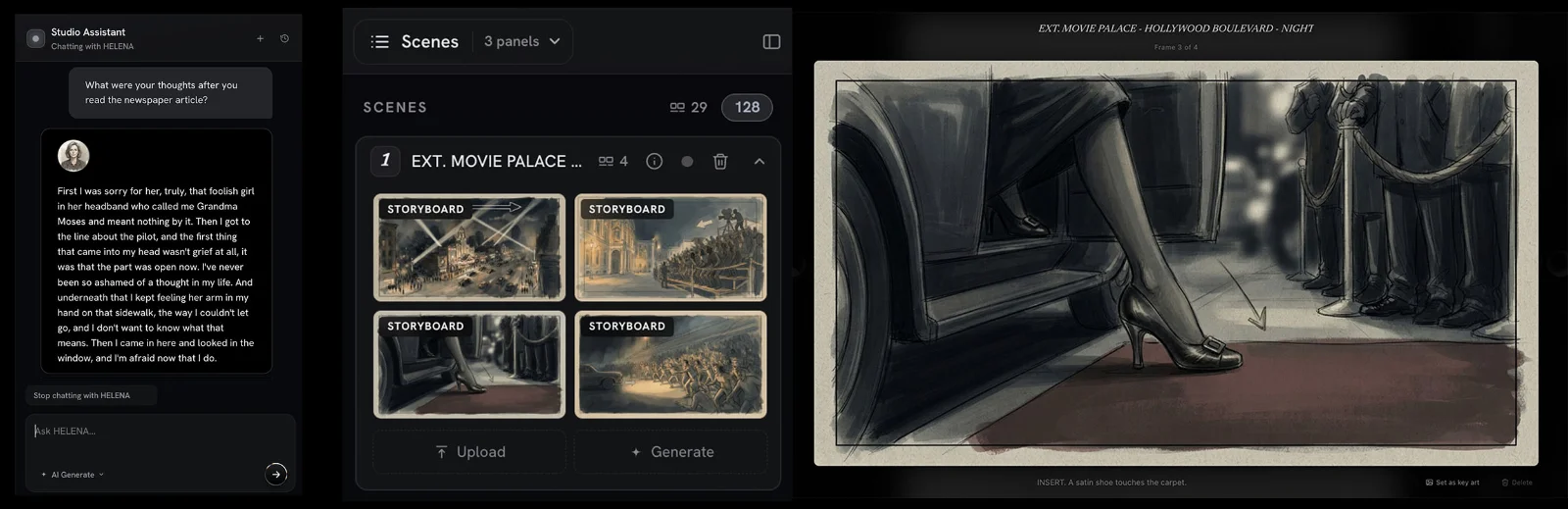
New in the Studio: Interactive Character Chat and Storyboard Generation
Two new features went live in Premiere.Studio this month. Interactive Character Chat lets you talk with any character in your script to peak into what they are thinking, and Storyboard Generation drafts frames and shot options from your scenes. Here's how to use them.
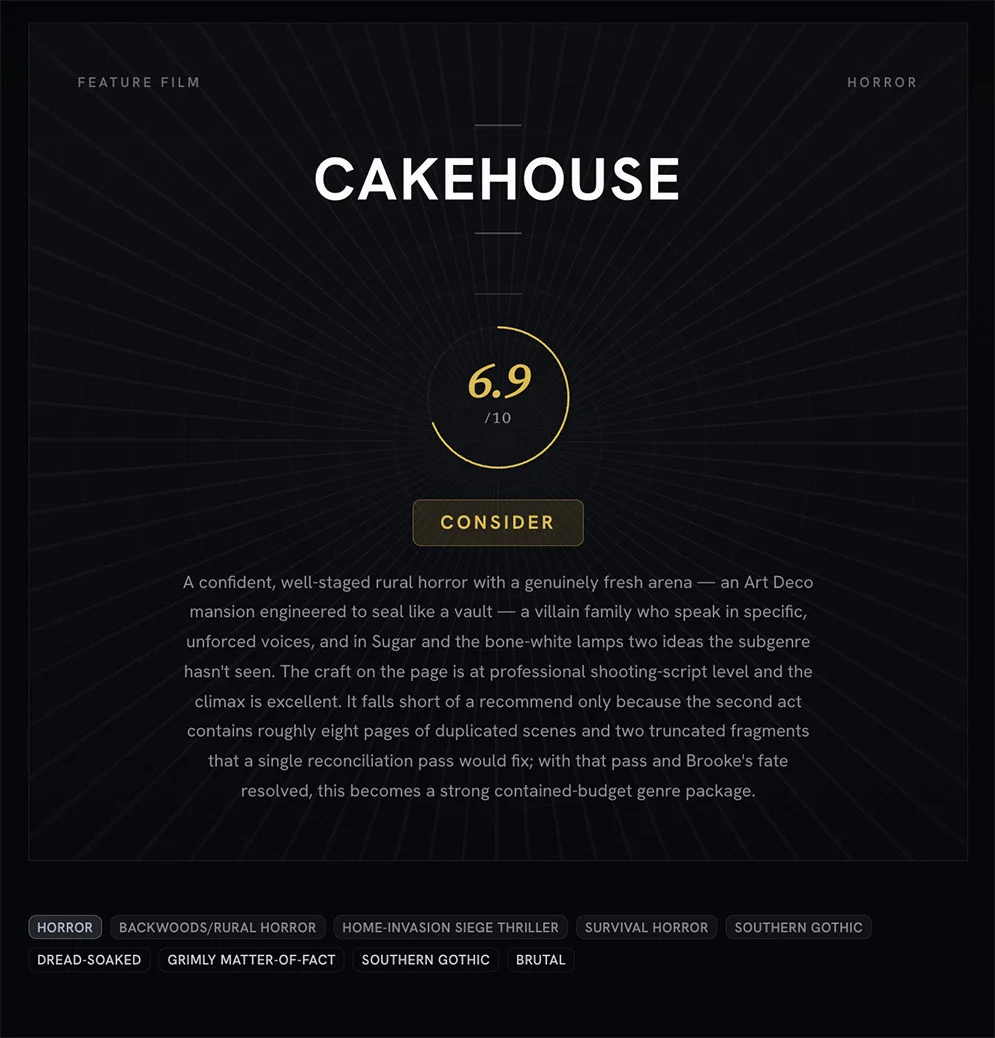
Treat coverage like a progress report and not a final grade
An introduction to what Premiere.Studio's coverage feature is for, and how to read the progress report on a draft without turning it into a final grade.
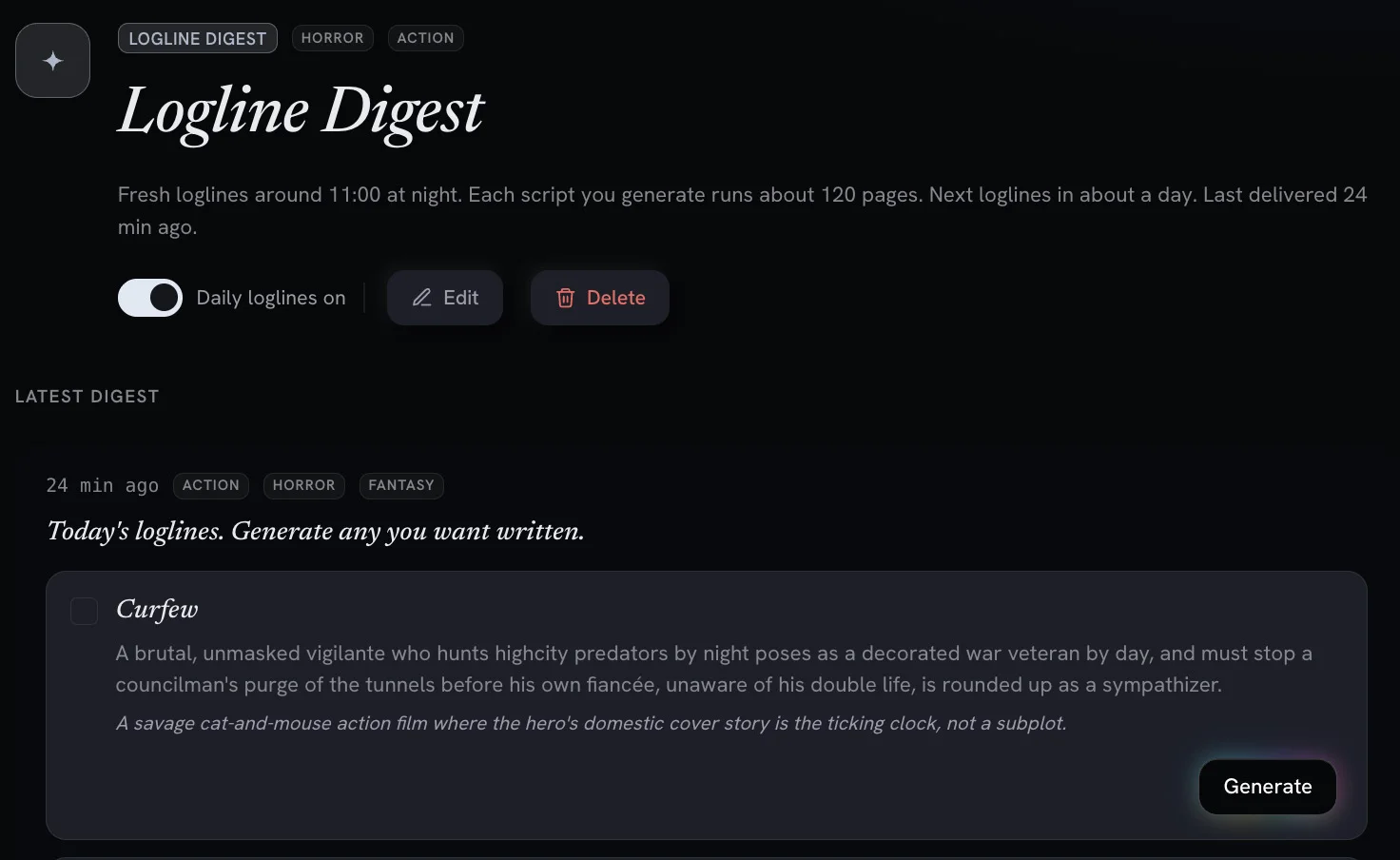
Digests and Workflows: AI Powered Screenwriting Automation Tools
Recurring, automated workflows deliver daily logline previews and digests you can turn into full feature scripts with one click.